Google Search Console + ChatGPT for Instagram
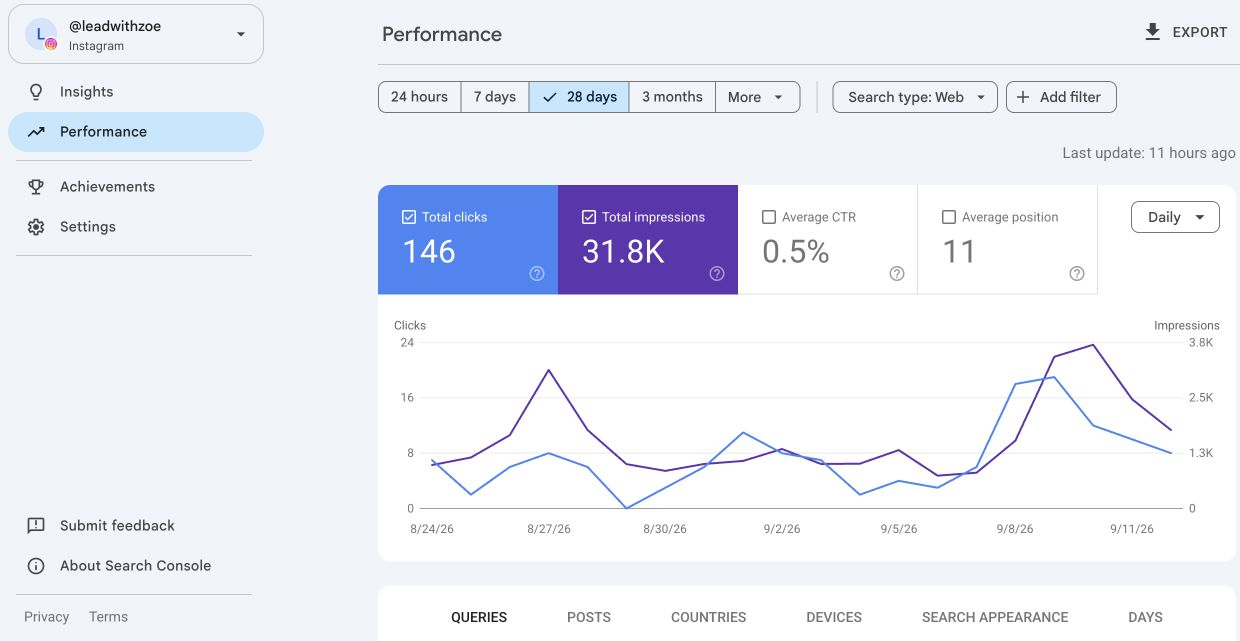
Connect your Instagram account to a new source of audience questions. Then use ChatGPT to turn that evidence into useful content.
1. What Search Console tells you
Google Search Console is a free report on how your content appears in Google Search. With an Instagram platform property, you can inspect the queries that surfaced your Instagram content, impressions and clicks. This is Google discovery, not searches or reach inside Instagram.
A query is what someone typed into Google. An impression means your result appeared under Google's reporting rules. A click means someone selected it. The numbers help you decide what to investigate; they do not tell you every audience need or guarantee a successful post.
2. Connect your Instagram
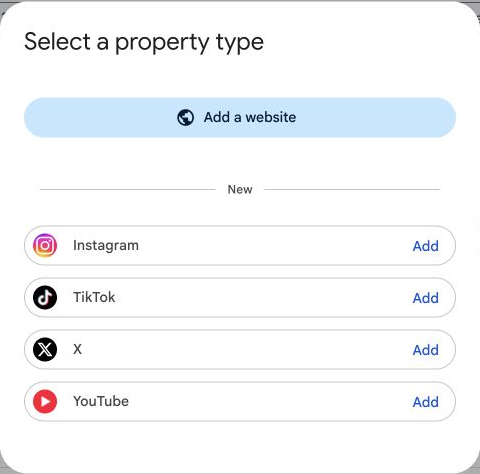
Open Google Search Console and sign in. Open the property selector, choose Add property, then Add beside Instagram. Follow the account-verification steps. Google also supports automatic connection in some cases. After verification, open the property and allow a few days for data to appear.
Platform properties are rolling out gradually. If Instagram is not offered, check Google's current help and try again when it becomes available to your account. Adding a property does not change your ranking.
3. Export the useful data
Open Performance. Choose a date range and search type, and record both. Export the Queries table. Export Posts as well. For a particular post, apply its filter before exporting the related queries so you know which searches belong to that post.
Use CSV or a spreadsheet export. Keep the source rows, dates and filters with your analysis. The report may omit anonymized queries and table totals may differ from headline totals. Do not treat the export as every search anyone made.
Use 1: turn audience questions into posts
Upload the Queries export to ChatGPT, plus a short note about your audience and what you actually teach. Ask it to group queries into questions, remove irrelevant topics and suggest ten useful posts. Require the exact query behind each suggestion.
Prompt: “Use this queries export from [dates / search type / filters]. My audience is [audience], and I teach [topics]. Group relevant queries into questions. Suggest 10 useful posts. For each, show the exact query, the question to answer, the hook and the demonstration. Separate observed data from your ideas. Do not invent volume or performance.”
Example: “does gmail have ai search” appears in Zoe's actual report. A proposed response is a short demonstration of one Gmail AI search, what it finds and when it helps. This is a content idea, not a measured result.
Use 2: improve content Google already finds
Upload a Posts export and the related queries for a chosen post. Add its caption or transcript. Look for relevant content with meaningful impressions and comparatively few clicks. Low CTR is a clue to inspect, not proof that the cover caused the problem; position and search intent also matter.
Prompt: “Use these post rows, related queries and transcript. Explain what the searcher wants and what this post actually answers. Suggest one clearer cover, one opening line and one useful follow-up. Cite the evidence. Label guesses. Do not promise better rankings or clicks.”
Change one thing and log the date. Compare equivalent date ranges, the same filters and similar post ages. Use Instagram Insights separately for saves, shares and reach. Do not combine Instagram reach with Google impressions or calculate a rate across the two platforms.
Start with the samples
The kit contains a sample query CSV, two prompts, an export checklist, a ten-idea planner and a post-test tracker. Sample rows are teaching data unless explicitly identified as Zoe's observed query. Replace samples with your own exports before drawing conclusions.
Sources
Google: Search Console platform properties